Desktop Software · Service Operations
Service Operations & Technical Documentation Management System
Developed a desktop application for device records, repair tracking, service documentation and operational reporting.
Implemented Project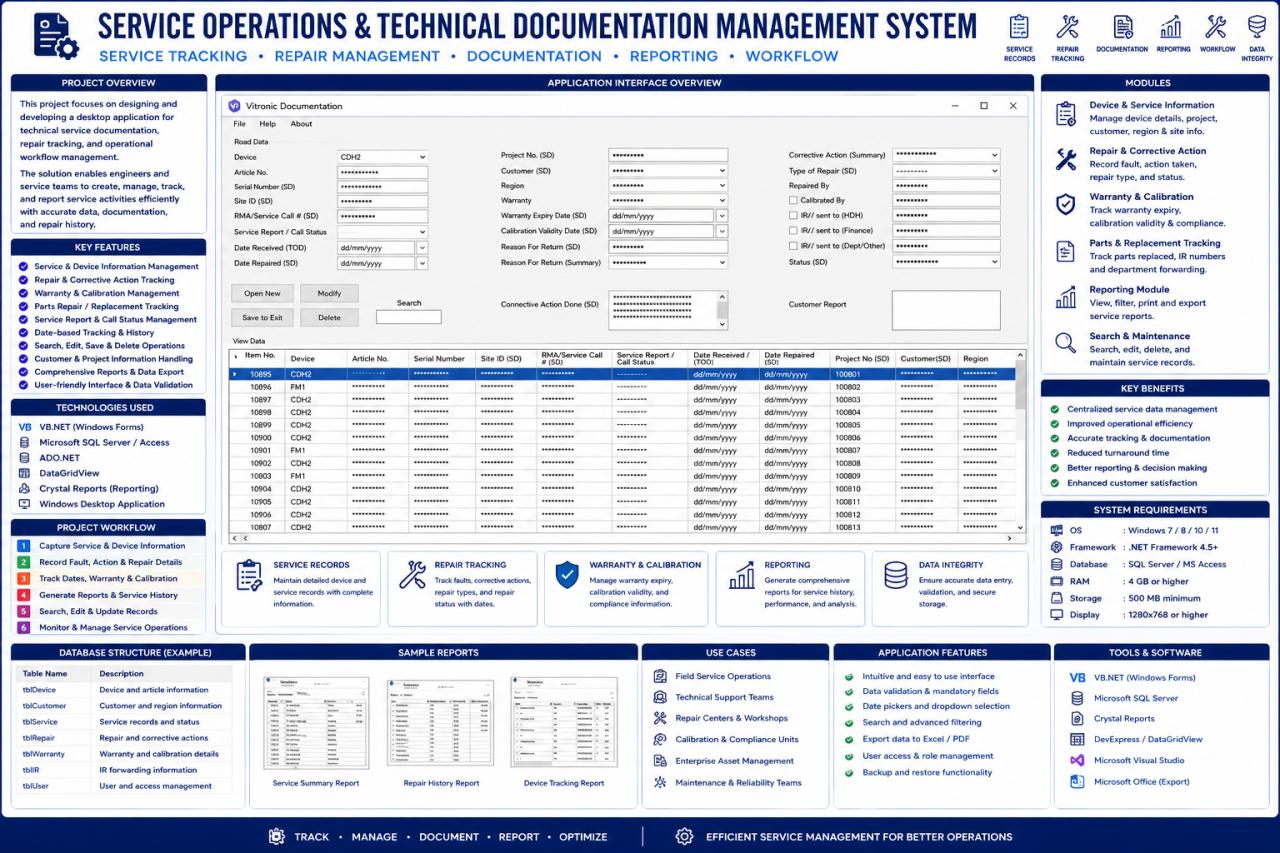
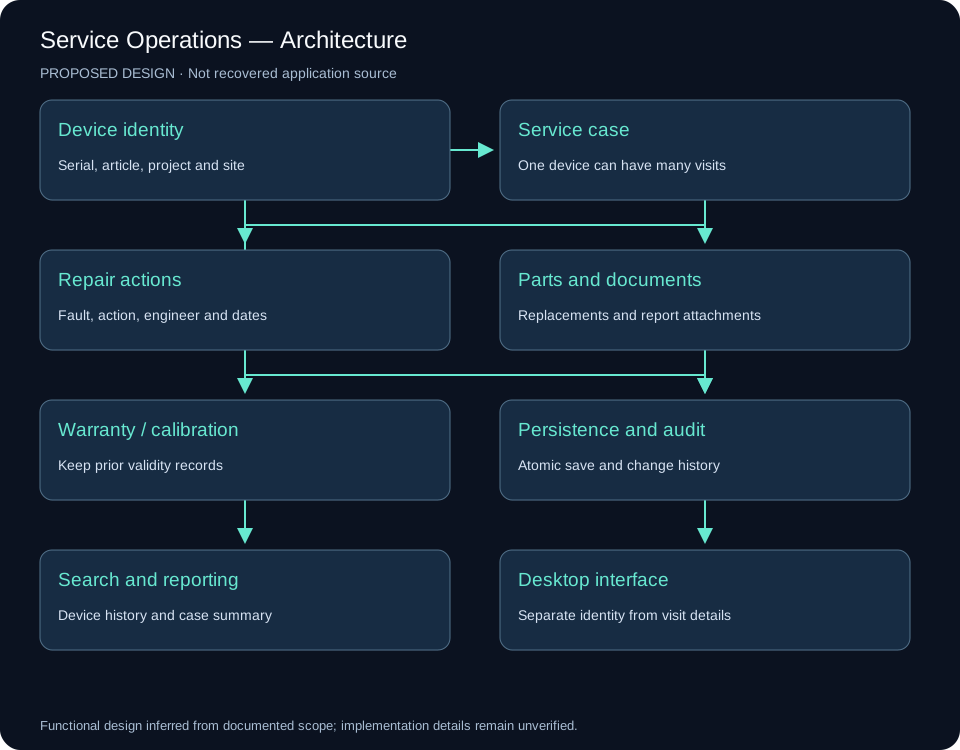
System architecture
Implementation scope
The source interface shows device records, repair details and warranty/calibration fields. These records connect the equipment identity with the work performed and the documents needed for follow-up.
Engineering approach
Search and reporting make service history usable by engineers. This project has its own interface and workflow, distinct from the live monitoring console and RF calculation tools.
Reading the original interface
The screenshot shows device, article and serial identifiers; site and service-call details; receipt and repair dates; project, customer and region; warranty and calibration validity; return reasons; corrective-action summary; repair type and personnel; forwarding fields; status and a customer report. New, modify, save, delete and search controls sit above a record grid.
The poster names VB.NET, WinForms, ADO.NET, Crystal Reports and SQL Server / Access. It does not establish which database engine the published application actually uses.
Proposed data design
Keep device identity separate from each service visit. Model Customer → Project → Site → Device; link each Device to many ServiceCase records. RepairAction, PartReplacement and Document belong to a case. Warranty and Calibration retain historical records rather than overwriting prior validity dates.
Integrity and workflow
Use unique case identifiers, controlled status transitions and date checks so a repair cannot precede receipt. Save a case and its related actions atomically. Use parameterized database operations, a change audit and conflict detection for concurrent edits. Archive records that have issued reports rather than silently removing their history.
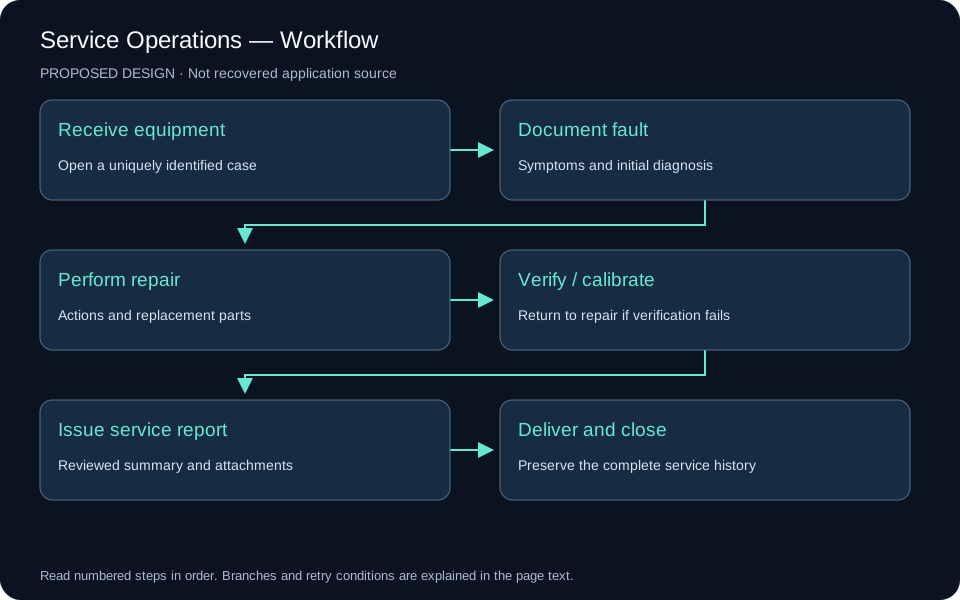
The workflow is receipt → fault documentation → diagnosis → repair → verification / calibration → reviewed report → delivery and closure. Failed verification returns to diagnosis. Internal engineering notes and the customer-facing report are separate records.
Interface and verification
A proposed layout uses search and the record list beside tabs for device identity, service visit, repairs / parts, warranty / calibration and documents. Verify multiple visits for one device, calibration renewal without loss of history, concurrent editing and failed attachment storage.
Visual documentation
Original project posters and interface screenshots are identified separately from explanatory source diagrams. The gallery documents this project only. Open any figure to inspect it at full available resolution.
